
Features
Features
A focused set of tools for keeping private things private. Everything below works offline, on your iPhone, without an account.
Opening the vault
Hedgehog Bits opens with a line-art hedgehog and one question: “Who is playing?”
- Type your vault password and the vault opens.
- Type anything else and the app says hello by that name (“Hi, Sam.”) and offers ten games.
- The name you type is kept in memory only and never saved, because it might be a mistyped password.
- A wrong answer takes about as long as a right one, and the app never says “wrong password”.
What you can keep
| Item | Details |
|---|---|
| Notes | Write and edit notes inside the vault. Each save is encrypted before it reaches storage. |
| Photos | Import from your photo library. After the whole batch is encrypted and saved, the app can offer to remove the originals from Photos. |
| Videos and audio | Play them inside the vault. They are decrypted piece by piece as they play, so a full plain copy is never written to disk. |
| Camera | Take photos and videos that go straight into the vault without being saved to your photo library. |
| Scanned documents | Scan passports, cards and contracts with the iPhone’s document scanner. The pages become one PDF, built in memory and never put in your photo library. |
| Documents | Import PDFs, text files and other documents from the Files app and view them in the app. |
| Folders | Create folders, move items between them, and drag a tile onto a folder to move it in. |
Finding and organising
- Search. Find anything by name, across the whole vault or inside the folder you’re in. Capitals and accents don’t matter, and each result shows where it lives. Search runs on the encrypted vault’s index in memory: nothing goes to Spotlight and no search history is kept.
- Icons or list. Show a folder as a grid of thumbnails or as a list with sizes and dates.
- Sort. By name, date added, size or kind. Choose the same option again to reverse the order. Folders always come first.
- Select several items to move, export or delete them in one go. Choose Select from the ••• menu, or long-press any item.
- Rename anything from its long-press menu, or tap the title of an open photo, video, file, note or folder.
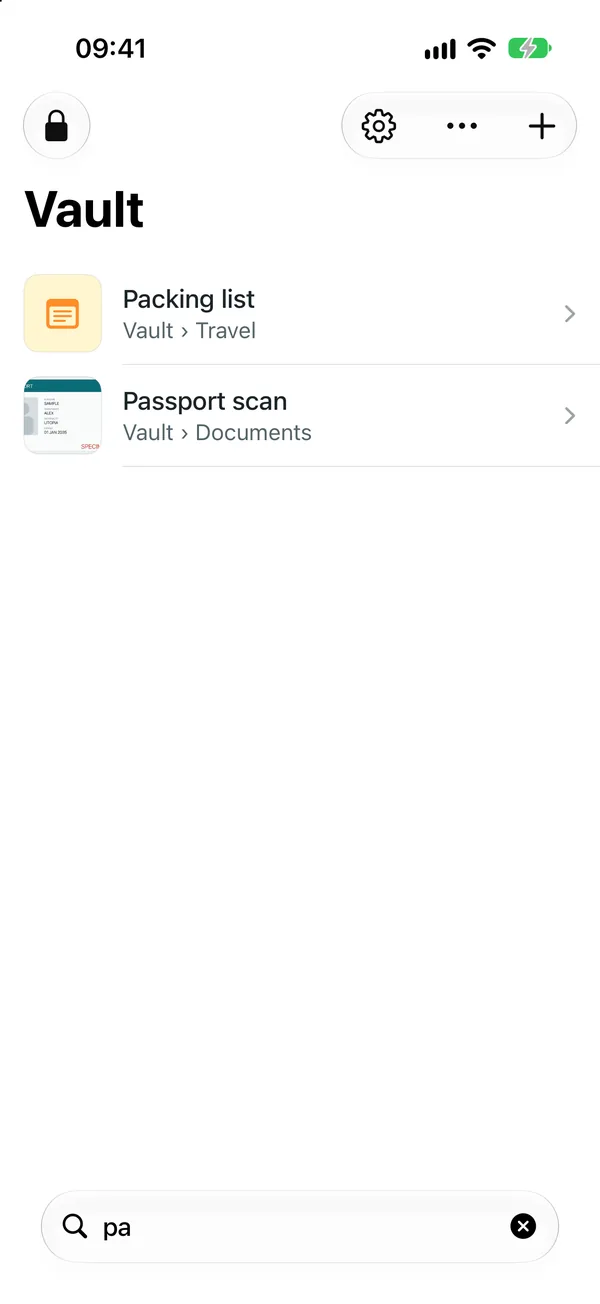
Search Results show which folder each item is in. 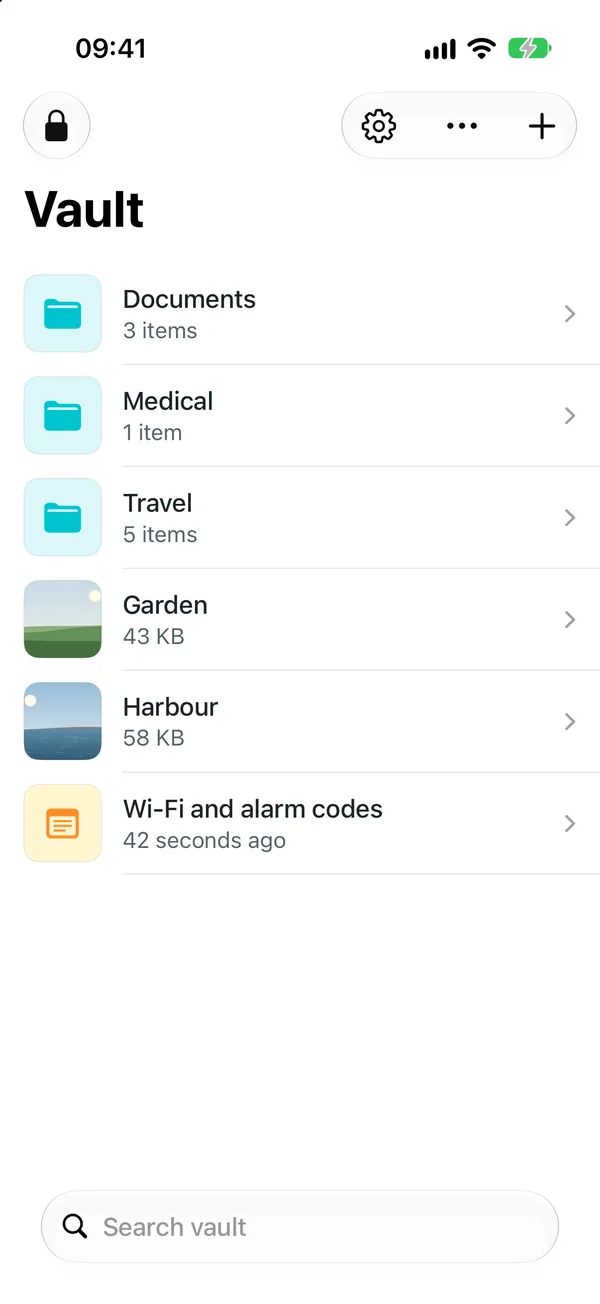
List view Sorted by name, with sizes and dates. 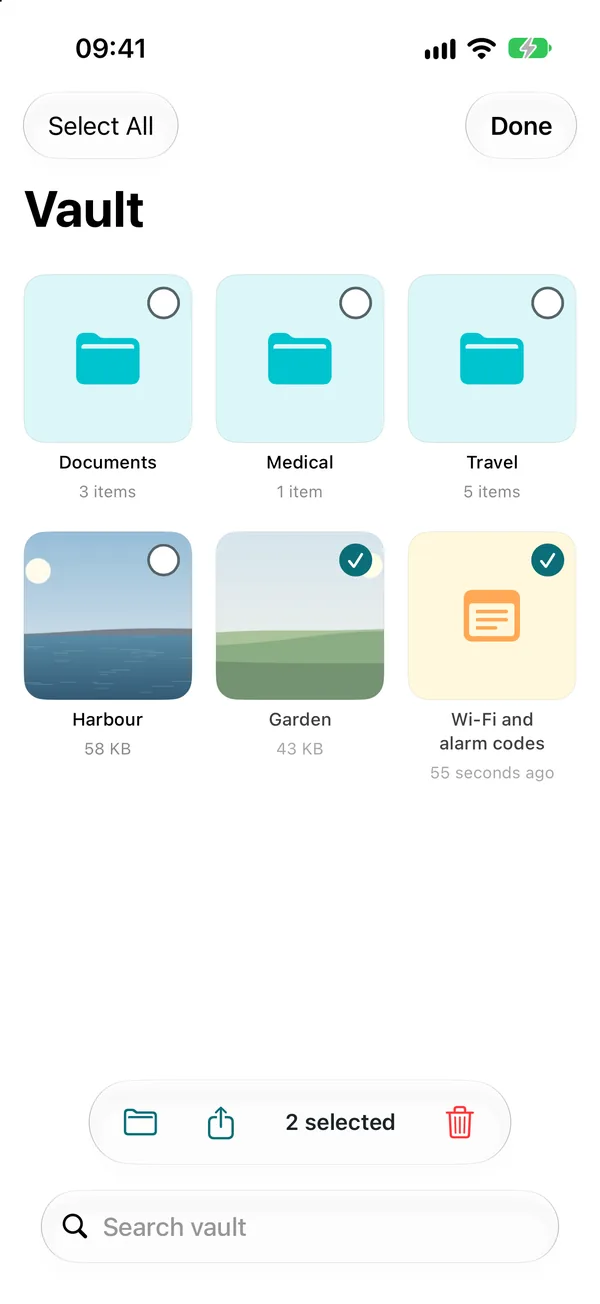
Select Move, export or delete several items at once.


Locking
- The vault locks the moment you leave the app, and the app switcher only ever shows the hedgehog.
- Put your iPhone face down on a table and the vault locks straight away. It has to be lying flat and still, so holding it face down to read in bed doesn’t lock it. You can turn this off in Settings.
- Tap the lock in the corner to go back to the hedgehog at any time.
Decoy vault
If someone makes you open the app, you can give them a different password.
- Settings → Decoy Vault sets a second password that opens a separate vault. Fill it with ordinary things, more than the free limit of 25 items, so it looks like the vault you use.
- Nothing in the decoy shows that another vault exists. Its settings look exactly like any other vault’s, including the option to set up a decoy.
- Every password is checked the same way and takes the same time, whichever vault it opens.
- Only the vault that set up the decoy can change its password or remove it.
- The decoy is part of Hedgehog Bits Plus. A decoy you’ve set up keeps working even if Plus ends.
A decoy is made to fool a person looking at your phone. Read what a disguise can and cannot do for its limits.
Backup and moving to a new iPhone
The vault is deliberately left out of iCloud backups, computer backups and Quick Start phone-to-phone transfer. You decide where copies go.
- Export Backup saves the whole vault as one
.hhbitsfile, still encrypted. Keep it on a Mac, a USB drive or any storage you trust. - Restore from Backup on a new iPhone brings back your folders, files and password exactly as they were.
- Restoring is all-or-nothing. Every item is checked before anything is written, so a damaged file can’t leave you with half a vault.
Read more in Moving your vault to a new iPhone.
Settings
- Appearance. Light, dark, or follow the iPhone’s setting. The games side has the same choice.
- Change password. Only the key that protects your files is re-encrypted, so this is quick even for large vaults.
- Lock when placed face down. On by default.
- Decoy vault. Set it up, change its password or remove it.
- Storage. See how much space the vault uses.
- Erase vault. Permanently deletes everything on the iPhone, including any decoy, and lets you start over with a new password. You type ERASE to confirm.
The games
The cover is a set of ten complete games with personal bests, styled to look calm and ordinary. While you play, a new best shows your name beside it. The name is never saved, so once you leave the games only the score remains.
| Game | How it plays |
|---|---|
| Gaps | Tap to rise through gaps between walls. Endless. |
| Tap Rush | Tap targets before they fade. Faster taps and combos score more. 30 seconds. |
| Rule Swipe | Swipe right if the card fits the rule, left if not. The rule changes every five cards, and one slip ends the run. |
| Pairs | A memory game with 12 cards, scored by time. |
| Stop Line | Hold to move the marker and let go in the zone. 15 rounds, each faster. |
| Six Letters | Make words from six letter tiles in 60 seconds, checked against the iPhone’s offline dictionary. |
| Quick Sums | Pick the right answer from three for 60 seconds. Sums get harder, and a wrong pick costs 3 seconds. |
| Echo | Repeat a growing sequence on four pads. Each pad has its own shape, not just a colour. |
| In Order | Tap 1 to 25 on a shuffled grid. Fastest time wins, and a wrong tap adds a second. |
| Reflex | Tap the moment the panel changes. The average of five rounds, in milliseconds. |
Free and Plus
Free
Free download
- All ten games
- Up to 25 notes, photos, videos and files (folders don't count)
- Camera, document scanner and imports
- Search, sort, list view and select
- Encrypted backups and restore
- Flip-to-lock and every security feature
Hedgehog Bits Plus
One-time purchase or yearly
- Everything in Free
- No item limit
- Decoy vault, with its own password
Prices are shown in your currency on the App Store.
Nothing you’ve stored is ever locked away. With or without Plus, everything in your vault stays yours to open, export and back up.
Requirements
- iPhone with iOS 26 or later
- About as much free storage as the files you want to keep
- No network connection needed